
On my current project I spend a lot of time reverse engineering legacy applications to discover business rules and design information for the rest of the team. More often than not I end up pasting some off the results into a Microsoft Word document or an email (for which I use the Word editor option). Unfortunately, this often results in some quite painful formatting issues as the formatting from the IDE I’m using (Eclipse) gets transferred to the Word document – often with the key selected area formatted as almost Black on Black.
I usually get around it by either pasting into Notepad first then re-cutting and pasting it into Word – or by just clearing the formatting afterwards. Both of these get quite irritating after a while.
After putting up with it for months I finally decided to do something about it – so I Googled it and found a much needed solution on the Microsoft website at http://office.microsoft.com/en-gb/help/HA010429611033.aspx.
Wonderful. And you can still paste the formatted text using the context menu or menu bar (which is still much less fiddly than using the Paste Special for text).
However, after a while I moved on to pasting screenshots and diagrams from Enterprise Architect – and I began to see the following error every time I tried to paste an image: –
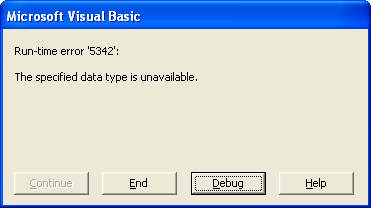
Run-time error '5342': The specified data type is unavailble.
This was almost as annoying as the original problem and I nearly removed the macro. Still, using the context menu Paste it works OK and the images went in.
Finally, last night I decided enough was enough. All I needed was a way to catch the error and use the standard Paste action if no text is available to paste. As I’ve almost no knowledge of VBA programming I needed some help and after about half an hour of Googling (it’s remarkably hard to find information on VBA Error handling) I came across a couple of articles that helped: –
- http://articles.techrepublic.com.com/5100-10878_11-6185462.html
- http://gregmaxey.mvps.org/Error_Handling_Basics.htm
Thanks chaps.
So I now have modified version of the macro on my own PC which doesn’t throw up the errors if you try to paste a picture. Instead, it attempts to paste the unformatted text and if an error occurs it uses the normal paste action – so pictures get pasted straight away with no hassle. Here is the full subroutine (follow the instructions on the Microsoft article for how to enter it): –
    Sub PasteUnformattedText()
        On Error GoTo errHandler

        Selection.PasteSpecial DataType:=wdPasteText
        Exit Sub

    errHandler:
        Selection.Paste
    End Sub
Of course the next thing is to add a toggle button to the tool bar to turn the macro on and off…
Nice try No Error 5342 But wrong formatting
Since Paste Special Unformatted Unicode Worked
I recorded Macro gave this (Works) Cheers
Sub Pastetextonlytest()
‘
‘ Pastetextonlytest Macro
‘
‘
Selection.PasteAndFormat (wdPasteDefault)
End Sub